
Converting PDFs to Guitar Pro facilitates playing and editing music digitally, leveraging the format’s universal accessibility with Guitar Pro’s detailed notation capabilities.
The Need for Conversion
Guitarists frequently encounter music in PDF format – sheet music, transcriptions, or tablature shared online. However, PDFs are inherently static; they aren’t designed for interactive editing or playback. This is where conversion to Guitar Pro (.gp) becomes essential. Guitar Pro allows musicians to not only view the music but also to manipulate it – change tempos, instruments, and even create backing tracks.
Furthermore, PDFs lack the intelligent features of Guitar Pro, such as automatic chord recognition or the ability to isolate instrument parts. Converting unlocks these functionalities, transforming a passive viewing experience into an active, creative one. It streamlines practice, arrangement, and performance preparation.
Understanding PDF and Guitar Pro Formats
PDF (Portable Document Format) excels at preserving document layout, making it ideal for sharing sheet music universally. It’s a fixed-format, meaning content appears as intended regardless of the viewing device. However, PDFs aren’t editable as musical scores.
Guitar Pro (.gp) is a proprietary file format specifically designed for guitar and other instrument tablature and notation. It stores musical information as data – notes, rhythms, instrument assignments – enabling playback, editing, and transposition. Unlike PDFs, Guitar Pro files are dynamic and interactive, offering a powerful toolkit for musicians.

Methods for Converting PDF to Guitar Pro
Conversion methods range from utilizing online tools and dedicated software to employing Optical Music Recognition (OMR) technology for transforming PDF scores.
Online Conversion Tools
Online converters offer a convenient, accessible approach to transforming PDF files into Guitar Pro compatible formats, eliminating the need for software downloads or installations. These web-based services typically support various file types beyond just PDFs, including Word documents, Excel spreadsheets, and PowerPoint presentations.
Users simply upload their PDF sheet music, and the tool processes the file, attempting to convert the notation into a Guitar Pro tablature or notation file. Many platforms boast fast conversion speeds and user-friendly interfaces, often without requiring registration or subscriptions. However, the accuracy can vary significantly depending on the complexity of the score and the quality of the original PDF.
Software-Based Conversion
Dedicated software solutions provide a more robust and often accurate method for converting PDFs to Guitar Pro format compared to online tools. These applications are installed directly on your computer, offering offline functionality and potentially greater control over the conversion process.
Desktop software frequently incorporates advanced algorithms and features specifically designed for music notation recognition. While typically requiring a purchase, these programs often deliver superior results, particularly with complex scores or lower-quality PDFs. They may also include editing tools for refining the converted notation before importing it into Guitar Pro, ensuring a polished final product.
Using Optical Music Recognition (OMR)
Optical Music Recognition (OMR) represents a powerful technique for converting scanned sheet music, often found in PDF format, into a digitally editable Guitar Pro file. OMR software analyzes the visual elements of the music – notes, symbols, and rests – and translates them into corresponding musical data.
This method is particularly useful when dealing with PDFs that aren’t directly convertible through standard methods. However, OMR accuracy can vary significantly depending on the quality of the original scan; clear, high-resolution images yield the best results. Post-conversion editing within Guitar Pro is almost always necessary.
Detailed Look at Popular Online Converters
Online converters offer convenient, accessible PDF to Guitar Pro conversion without software installation, though results may vary based on file complexity and quality.
Advantages of Online Converters
Online PDF to Guitar Pro converters boast several key advantages for musicians and educators. Primarily, they eliminate the need for downloading and installing software, saving valuable storage space and time. Accessibility is another significant benefit; these tools function through a web browser, allowing conversion from virtually any device with an internet connection.
Many online platforms are free to use, or offer a limited number of free conversions, making them cost-effective for occasional use. They often support a wide range of PDF files, and the conversion process is typically straightforward – simply upload the PDF and download the converted Guitar Pro file. This ease of use makes them ideal for quick transcriptions or sharing scores.
Limitations of Online Converters
Despite their convenience, online PDF to Guitar Pro converters possess inherent limitations. Accuracy can be a significant issue, particularly with complex scores or poor-quality PDFs, often resulting in transcription errors. Security concerns arise as uploading sensitive musical arrangements to third-party websites may pose a risk.
File size restrictions are common, preventing the conversion of lengthy or high-resolution PDFs. Furthermore, these tools typically lack advanced editing features found in dedicated software, requiring post-conversion refinement in Guitar Pro. Dependence on a stable internet connection is also crucial; conversions can be slow or fail without it.
Specific Online Converter Examples (with features)
Several online tools attempt PDF to Guitar Pro conversion. While a direct, flawless conversion is rare, some offer better results. Zamzar, a versatile file converter, supports PDF to various formats, though Guitar Pro isn’t directly listed, requiring potential intermediary steps. Online2PDF allows PDF editing and conversion, potentially improving source quality before attempting Guitar Pro import.
PDF2Word often provides a usable, editable output that can then be reformatted within Guitar Pro. These converters generally feature simple interfaces, supporting drag-and-drop functionality and offering basic customization options like output format selection. However, remember to carefully review the converted output for accuracy.
Software Options for PDF to Guitar Pro Conversion
Dedicated desktop software provides more robust conversion capabilities than online tools, offering greater control and potentially higher accuracy for complex scores.
Desktop Software Overview
Desktop software solutions for converting PDFs to Guitar Pro offer a significant advantage through offline processing and enhanced features. These programs typically employ more sophisticated algorithms, resulting in improved accuracy, especially when dealing with intricate musical arrangements. Unlike web-based converters, desktop applications aren’t limited by browser compatibility or internet connection stability.
Several options exist, ranging from specialized music notation software with import capabilities to dedicated PDF-to-Guitar Pro converters. These tools often include advanced editing features, allowing users to refine the converted notation, correct errors, and adjust instrument settings directly within the software interface. They generally support batch conversion, saving time when processing multiple files.
Features and Pricing Comparison

Desktop software varies greatly in features and cost. Some programs offer basic conversion with limited editing, priced around $30-$60 as one-time purchases. More robust options, integrating full music notation capabilities, can range from $100 to $300 or higher. Subscription models are also common, offering ongoing access for a monthly or annual fee.
Key features to compare include OMR accuracy, supported instruments, editing tools (pitch, rhythm, dynamics), export formats, and batch processing. Free trials are often available, allowing users to test functionality before committing to a purchase. Consider your specific needs – simple conversions versus comprehensive notation editing – when evaluating options.
Installation and Basic Usage
Typically, desktop software installation involves downloading the program from the developer’s website and following the on-screen prompts. Activation often requires a purchased license key. Basic usage generally begins with importing the PDF file – usually via a “File > Open” menu option.
The software then processes the PDF, attempting to recognize musical notation. Users may need to adjust settings for optimal results, such as specifying the instrument or page orientation. Once converted, the Guitar Pro tablature appears, ready for editing. Saving the file in Guitar Pro’s native format (.gp5 or .gpx) completes the process.
The Role of Optical Music Recognition (OMR)
OMR technology scans PDF images, identifying musical symbols and converting them into editable Guitar Pro notation, bridging the gap between visual scores and digital formats.
How OMR Technology Works
Optical Music Recognition (OMR) functions similarly to Optical Character Recognition (OCR), but specialized for musical notation. Initially, the software captures an image of the PDF score. Then, a pre-processing stage enhances the image quality, correcting skew and removing noise to improve accuracy. The core of OMR involves identifying individual musical elements – staves, notes, rests, clefs, and other symbols – using pattern recognition algorithms.
These algorithms are trained on vast datasets of musical notation. Once identified, the software translates these elements into a digital format understandable by Guitar Pro, essentially recreating the score as editable data. The complexity arises from variations in handwriting, print quality, and the presence of ornaments or unusual notation, requiring sophisticated algorithms for reliable conversion.
Accuracy and Limitations of OMR
OMR accuracy varies significantly based on the source PDF’s quality. Clean, high-resolution scans of professionally printed scores yield the best results, often exceeding 90% accuracy. However, handwritten scores, low-resolution images, or those with complex layouts pose substantial challenges. Common errors include misidentification of notes, incorrect rhythm interpretation, and failures to recognize complex symbols like grace notes or articulations.
Limitations stem from the software’s inability to understand musical context. It recognizes symbols but doesn’t “understand” the music, leading to potential errors in phrasing or interpretation. Post-conversion editing is always necessary to correct these inaccuracies and ensure musical integrity.
Best OMR Software for Guitar Pro
Several OMR software options cater to Guitar Pro conversion, each with strengths and weaknesses. PhotoScore & NotateMe Ultimate consistently ranks highly for accuracy, particularly with printed music, and integrates well with notation software. SmartScore X Pro is another robust contender, offering advanced editing features post-recognition.
MuseScore, while primarily a notation program, includes a functional OMR tool suitable for simpler scores. Ultimately, the “best” choice depends on the PDF’s complexity and budget. Expect to invest time in refining the output, regardless of the software selected, to achieve professional results.
Post-Conversion Editing in Guitar Pro
Refinement is key; post-conversion editing in Guitar Pro corrects errors, adjusts instrument settings, and adds effects for a polished, accurate musical representation.
Correcting Errors and Refining Notation
Post-conversion, meticulous error correction is crucial. Often, automated conversions introduce inaccuracies in rhythm, pitch, or notation symbols. Guitar Pro’s editing tools allow for precise adjustments to these elements, ensuring musical integrity. Examine each measure carefully, verifying note durations, rests, and articulation markings.

Refine the notation by addressing any misplaced or misinterpreted symbols. Pay close attention to ties, slurs, and dynamics, as these significantly impact the musical expression. Utilize Guitar Pro’s intuitive interface to correct any discrepancies and achieve a clean, professional-looking score. This detailed refinement process transforms a rough conversion into a usable, accurate piece of sheet music.
Adjusting Instrument Settings
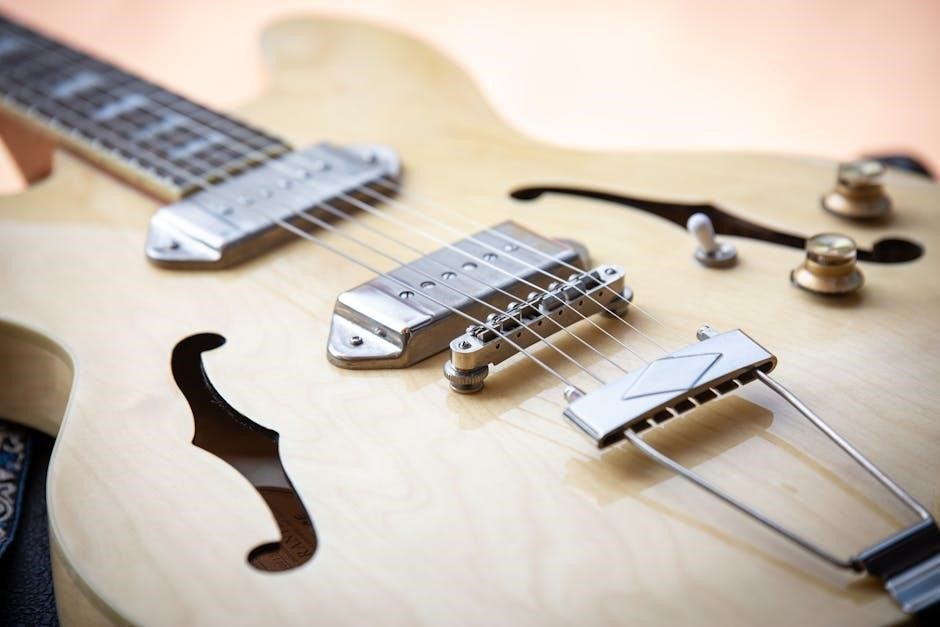
Guitar Pro’s versatility extends to detailed instrument configuration. After conversion, verify that each track accurately reflects the intended instrument – guitar, bass, drums, or others. Adjust parameters like string gauge, pickup type, and amplification to emulate specific tones.
Fine-tune sound settings for each instrument to match the original composition’s character. Explore Guitar Pro’s effects library, adding reverb, chorus, or distortion as needed. Properly configured instrument settings are vital for achieving an authentic and expressive playback experience, bridging the gap between the converted score and the intended musical sound.
Adding Effects and Fine-Tuning
Guitar Pro allows for extensive sonic customization beyond basic instrument settings. Enhance the converted piece by adding effects like reverb, delay, chorus, and distortion to individual tracks or the entire arrangement. Experiment with different effect combinations to recreate the original sound or explore new sonic textures.
Fine-tune parameters within each effect to achieve the desired intensity and character. Adjust volume levels, panning, and equalization to create a balanced and polished mix. This meticulous attention to detail transforms a basic conversion into a fully realized and expressive musical performance.
Troubleshooting Common Conversion Issues
Conversion challenges often arise from complex scores or poor PDF quality, leading to notation errors; careful review and manual correction are frequently needed.
Dealing with Complex Scores
Complex musical scores, particularly those with intricate arrangements, multiple instruments, or unusual notation, present significant hurdles during PDF to Guitar Pro conversion. Online tools and even dedicated software may struggle to accurately interpret these complexities, often resulting in errors or omissions in the converted file.
The key to mitigating these issues lies in a multi-faceted approach. Firstly, ensure the original PDF is of the highest possible quality – a clear, well-scanned document is crucial. Secondly, break down larger scores into smaller, more manageable sections for conversion. Finally, anticipate the need for substantial post-conversion editing within Guitar Pro to correct any inaccuracies and refine the notation to match the original score precisely.
Handling Poor Quality PDFs
Poor quality PDFs – those with low resolution, skewed scans, or unclear notation – dramatically reduce the success rate of conversion to Guitar Pro. Optical Music Recognition (OMR) technology, central to this process, relies on clear visual information to accurately identify notes and symbols. Blurry images or distorted text hinder this process, leading to frequent errors.
Strategies for improvement include attempting to locate a higher-quality version of the PDF. If unavailable, image enhancement tools can sometimes improve readability before conversion. However, significant damage may necessitate manual transcription, a time-consuming but often necessary step to achieve an accurate Guitar Pro file.
Resolving Notation Errors
Post-conversion, meticulous error checking within Guitar Pro is crucial. Even with advanced conversion methods, inaccuracies are common – incorrect notes, misplaced rests, or misinterpreted rhythms. Carefully compare the Guitar Pro tab with the original PDF, listening to the playback to identify discrepancies.
Guitar Pro’s editing tools allow for precise correction of these errors. Utilize the note editing palette, rhythm tools, and instrument settings to refine the notation. Addressing these issues ensures the final Guitar Pro file accurately reflects the intended musical piece, providing a reliable resource for practice and performance.